The Clinical Workflow for Camera-Based Remote Patient Monitoring
Research-based analysis of the clinical workflow for camera-based remote monitoring, from enrollment and triage to escalation, documentation, and follow-up.
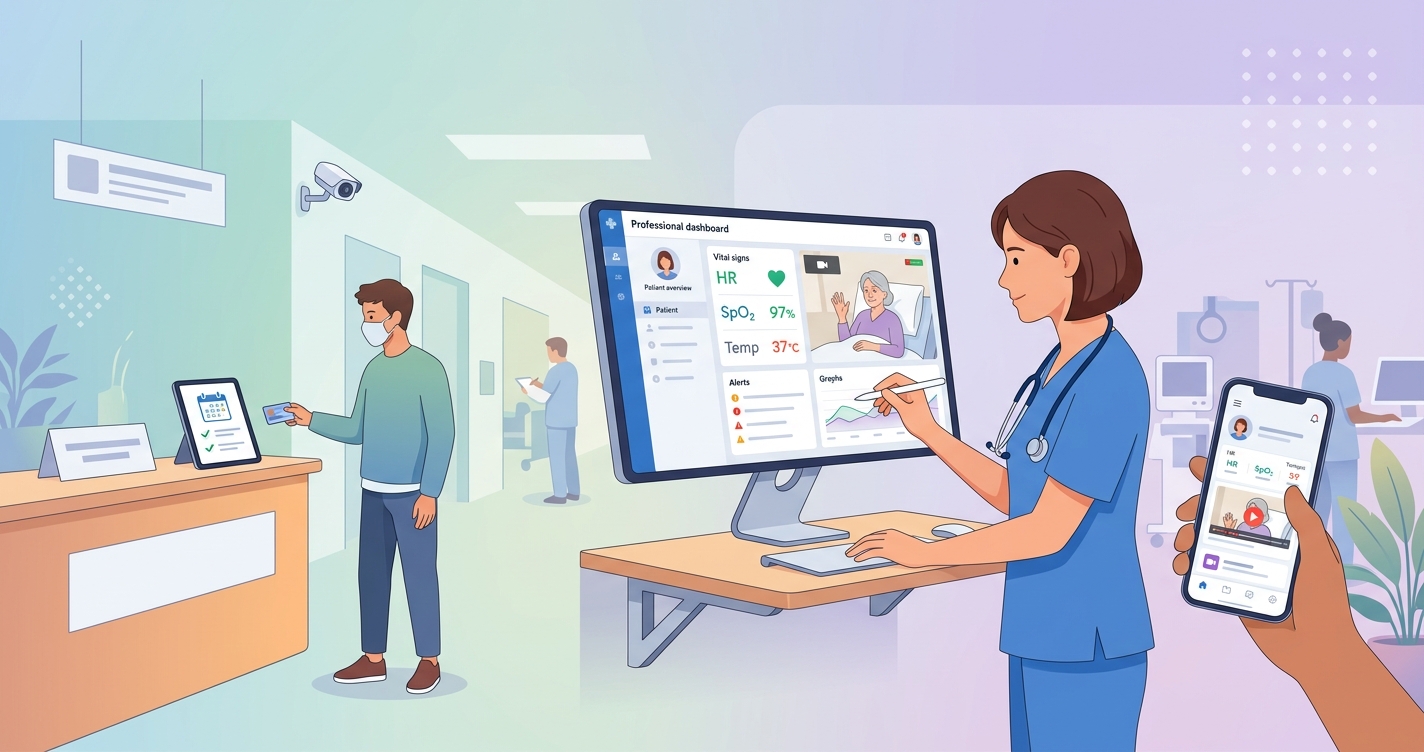
Clinical workflow camera remote monitoring is becoming a more useful question for health systems than the older question of whether remote patient monitoring belongs in care delivery at all. The market has moved past that. The operational issue now is how monitoring fits inside real nurse triage, physician review, patient onboarding, escalation rules, and documentation. Camera-based RPM matters in that conversation because it can remove some of the friction that has slowed device-heavy programs, especially when organizations are trying to scale post-discharge follow-up, virtual nursing, or hospital-at-home pathways without creating a logistics operation around every patient.
"A robust RPM alert pathway is crucial, ensuring that significant vital sign deviations or other critical events reach the appropriate clinical team member for timely intervention." — American Medical Association, Digital Health Implementation guidance
Why the clinical workflow for camera remote monitoring matters
The strongest RPM programs are not built around gadgets. They are built around handoffs.
Katharine Lawrence, Nina Singh, Zoe Jonassen, Lisa L. Groom, Veronica Alfaro Arias, Soumik Mandal, Antoinette Schoenthaler, Devin Mann, Oded Nov, and Graham Dove examined early RPM implementation inside a large New York academic health system in a JMIR Human Factors case study. Their team found a familiar pattern: clinicians liked the idea of remote monitoring, but workflow design determined whether the program felt helpful or like one more inbox. The study included interviews with 13 clinicians and design sessions with 21 patients and patient representatives, which makes it especially useful for thinking about operations rather than product marketing.
That is where camera-based RPM changes the conversation. Instead of centering the workflow on device shipment, pairing, replacement, and return, a camera-first model can shift more attention toward who is monitored, when check-ins happen, what threshold triggers review, and how clinicians respond.
Comparison table: device-heavy RPM workflow vs camera-based RPM workflow
| Workflow step | Traditional device-heavy RPM | Camera-based RPM workflow |
|---|---|---|
| Enrollment | Often tied to device ordering and kit assignment | Can start with app access and eligibility screening |
| Patient setup | Device shipment, pairing, troubleshooting | Smartphone check-in and guided onboarding |
| Daily capture | Multiple peripherals and manual habits | Short software-led session from the phone camera |
| Staff burden | Higher logistics and replacement management | Lower hardware coordination, more focus on triage |
| Escalation review | Triggered by device data and symptom reports | Triggered by camera-based vitals, symptoms, and trends |
| Documentation | Often split across vendor dashboard and EHR | Still needs EHR integration, but fewer logistics notes |
| Best fit | Patients needing dedicated peripherals | Programs seeking lower-friction recurring check-ins |
What the camera-based RPM workflow actually looks like
A useful clinical workflow camera remote monitoring model usually has six parts:
- patient selection
- enrollment and consent
- baseline capture
- routine review and triage
- escalation and intervention
- documentation and program reassessment
The order sounds obvious, but many RPM programs get into trouble by overbuilding the technology layer while leaving ownership fuzzy. The American Medical Association has been pretty direct on this point. In its RPM guidance, the AMA emphasizes dedicated staff, clear data-review rules, and workflow design before scale.
For camera-based RPM, the practical advantage is that the workflow can stay closer to software operations than supply-chain operations. That does not remove clinical responsibility. It just reduces one source of friction.
A reference model for the clinical workflow camera remote monitoring teams need
1. Identify the right patient at the right moment
Camera-based RPM works best when enrollment is tied to a defined pathway rather than offered as a vague digital add-on. Common entry points include post-discharge follow-up, hospital-at-home transitions, chronic disease surveillance, virtual nursing support, and recovery monitoring after surgery or acute exacerbation.
The first question is not whether a patient can use a phone camera. It is whether the monitoring pathway answers a real clinical need. If the care team cannot say what action they will take when the data worsens, the workflow is not ready.
2. Set a baseline before the patient goes home
The workflow is smoother when teams establish baseline vitals, symptoms, and escalation rules before the first remote session. That gives nurses and physicians a reference point. It also helps separate clinically meaningful change from ordinary variation.
David Whitehead and Jared Conley made a similar argument in their 2023 JMIR article on RPM in hospital-at-home programs. Their point was not just that remote monitoring expands visibility. It is that visibility only matters when the care model knows how to act on it.
3. Use structured onboarding, not a generic welcome message
Onboarding is where compliance problems usually begin. Ishaan Ameen, Jaclyn Bishop, Alison Buccheri, Jodie Reid, Anna Wong Shee, Marc Budge, and colleagues reported that RPM programs in rural and regional settings ran into predictable barriers: low digital literacy, uneven infrastructure, weak training, and too much workflow ambiguity.
Camera-based programs are not exempt from those problems, but they do have one operational advantage: the patient can often begin with a familiar device instead of learning a bag of peripherals. Even then, onboarding still needs to cover:
- what time of day the patient should complete check-ins
- how long each session takes
- what symptoms to report alongside vitals
- who reviews the data
- what happens after an alert
- when the patient should bypass the app and call for urgent help
4. Route first review to the right clinical layer
One of the clearest lessons from RPM implementation research is that physicians should not be the first person staring at every incoming data point. Most scalable programs rely on a triage layer, usually nurses, care coordinators, or centralized virtual care teams, to review incoming trends and decide what needs escalation.
That is the core of the workflow. Not every abnormal value needs a physician callback. Some readings need repeat capture. Some need symptom context. Some need medication review. Some need urgent escalation. The workflow breaks when every signal lands in the same queue.
5. Escalate by protocol, not intuition alone
A camera-based monitoring program still needs defined thresholds, response times, and escalation ownership. The data source may be lighter-weight than a peripheral kit, but the governance cannot be lighter-weight.
A practical escalation ladder often looks like this:
- repeat measurement requested after a questionable reading
- nurse outreach for symptom clarification
- physician or advanced practice clinician review for moderate-risk change
- same-day visit, ED referral, or hospital-at-home intervention for high-risk change
The best programs are not the ones with the most alerts. They are the ones where alerts map cleanly to actions.
Industry applications
Post-discharge monitoring
This may be the cleanest use case. Patients leave the hospital, enter a 7-to-30-day risk window, and need lightweight follow-up without another stack of equipment. A camera-based workflow can support scheduled check-ins, symptom capture, and nurse outreach when trends drift.
Hospital at home
Whitehead and Conley argued that RPM could increase safety and expand eligibility inside hospital-at-home models. Camera-based workflows fit that direction when programs want regular visibility but would prefer not to build every case around delivered hardware.
Virtual nursing
Virtual nursing programs are increasingly judged by whether they reduce bedside burden without creating remote documentation chaos. Camera-based check-ins can fit as one input into that workflow, especially when the goal is brief recurrent assessment rather than continuous device management.
Chronic disease follow-up
For hypertension, heart failure, COPD, and other longitudinal pathways, camera-based RPM may be most useful where the care team wants more touchpoints and less setup friction. It is not a universal replacement for every device-based protocol, but it can make recurring review more feasible for selected populations.
Current research and evidence
The evidence on workflow is more mature than the evidence on any one interface. Lawrence and colleagues showed that operational RPM success depends on embedding the program inside existing ambulatory care structures instead of treating remote monitoring like a side project. Their clinicians reported real value, but only when staffing, review responsibility, and patient expectations were clear.
The AMA's implementation guidance lands in almost the same place. It emphasizes designing workflows first, assigning dedicated staff, and deciding how patient-generated data reaches the clinical team in a clinically relevant format. I think that matters more than any feature checklist. Most RPM failures are not failures of sensing. They are failures of ownership.
Ameen and colleagues add another useful warning from rural and regional deployments. Staff reported data overload, training gaps, infrastructure limitations, and difficulty building manageable review processes. That finding is a good reality check for camera-based RPM too. Lower-friction capture helps, but it does not remove the need for staffing discipline.
Hospital-at-home research adds the forward-looking piece. Whitehead and Conley wrote that RPM can improve safety, decrease cost, and broaden home-based acute care eligibility when monitoring is tied to a well-structured operating model. That logic translates well to camera-based workflows: fewer device logistics, more emphasis on cadence, triage, and escalation.
Where health systems tend to get the workflow wrong
A lot of RPM programs struggle for the same reasons:
- they enroll patients without defining the intervention pathway
- they send every alert to the same clinician pool
- they underinvest in onboarding and overinvest in dashboards
- they treat documentation as an afterthought
- they measure device distribution instead of clinical actionability
Camera-based RPM does not solve those mistakes by itself. What it can do is remove enough setup friction that the care team can focus on clinical operations instead of box management.
The future of camera-based remote monitoring workflow
The future probably belongs to workflows that are simpler for patients and more specific for clinicians. That means shorter check-ins, stronger triage rules, cleaner escalation trees, and more selective use of hardware. Not every pathway will move to a camera-first model. ICU-level or highly specialized monitoring obviously has different requirements. But for many post-discharge, virtual nursing, and longitudinal follow-up programs, the direction of travel is pretty clear.
Health systems want monitoring models that patients actually complete and staff can actually run. Camera-based RPM is getting attention because it may support both goals at the same time.
Frequently asked questions
What is the clinical workflow for camera-based remote patient monitoring?
It usually includes patient identification, enrollment, baseline assessment, scheduled camera-based check-ins, nurse or care-team triage, protocol-based escalation, and EHR documentation.
Who should review camera-based RPM data first?
In most scalable programs, the first review layer is a nurse, care coordinator, or virtual care team rather than a physician reviewing every incoming data point individually.
Is camera-based RPM mainly a technology decision or a workflow decision?
It is mostly a workflow decision. The technology matters, but program success depends more on ownership, escalation rules, onboarding, and documentation than on the sensing method alone.
Where does camera-based RPM fit best today?
It fits best in lower-friction pathways such as post-discharge follow-up, virtual nursing support, hospital-at-home check-ins, and selected chronic disease programs where frequent short assessments are more useful than shipping hardware to every patient.
The clinical workflow camera remote monitoring teams need is less about novelty than about fit. When the model is designed around triage, escalation, and repeatable patient check-ins, software-first approaches become much easier to operationalize. Solutions like Circadify sit inside that broader shift toward lower-friction remote monitoring for health systems. For related reading, see How Rural Hospitals Use RPM to Extend Their Reach and RPM for Cardiac Rehabilitation: How Remote Monitoring Helps.